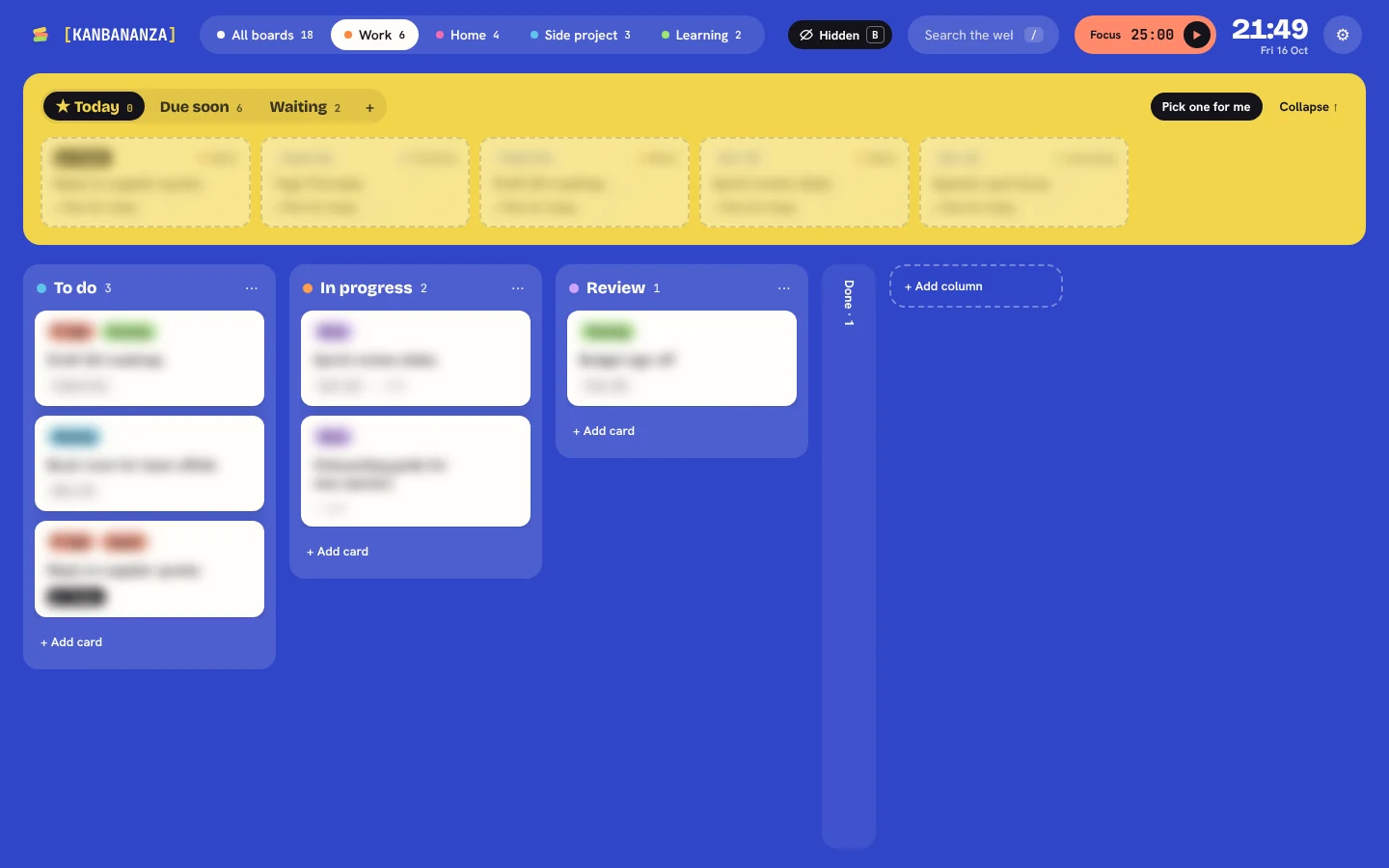
Press B to hide your cards
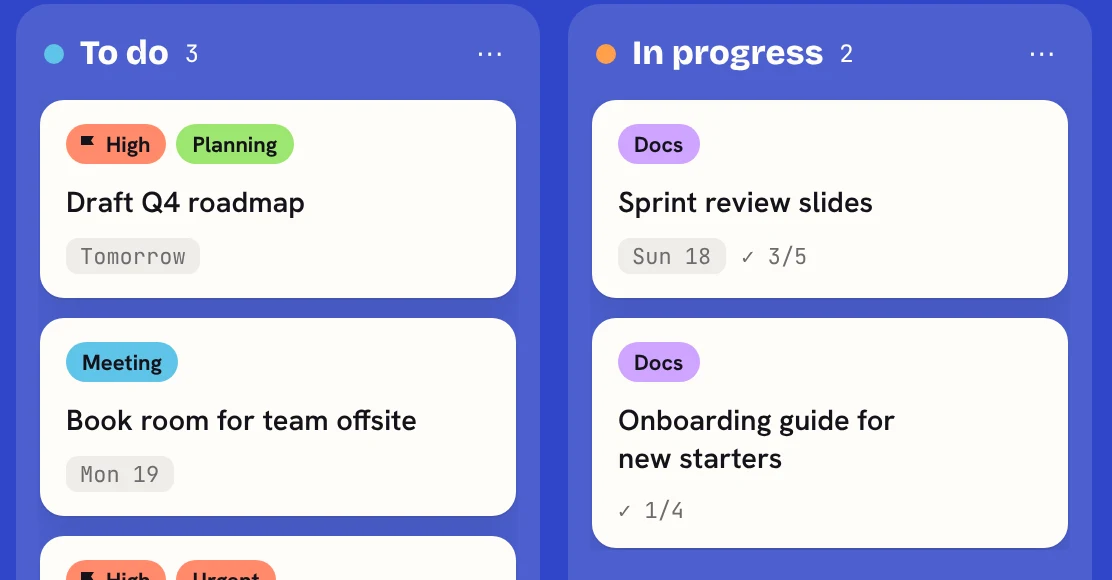
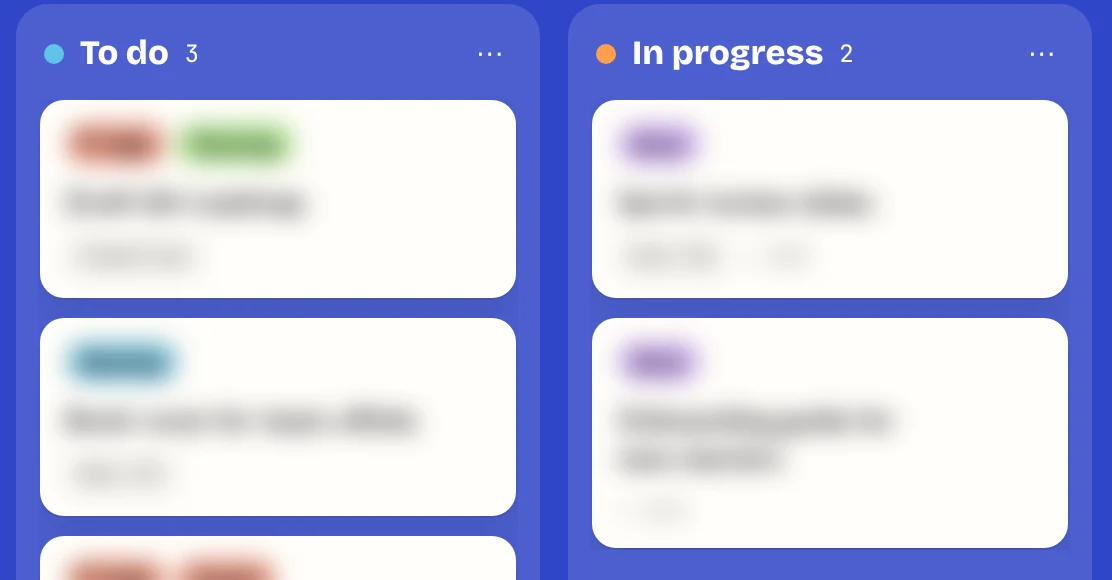
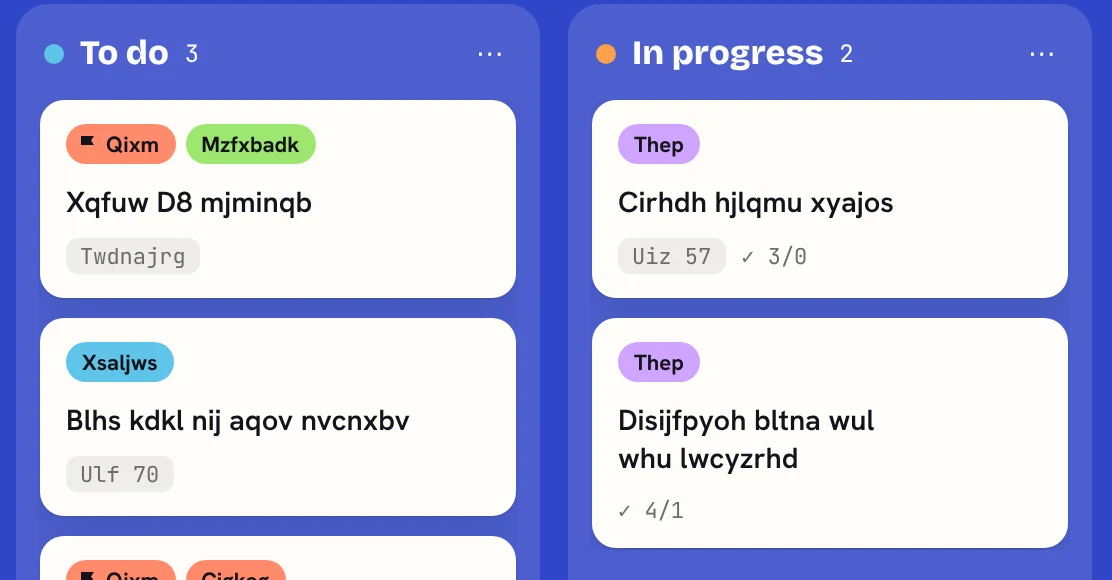
Working in an open-plan office or sharing your screen? Press B and every card frosts over, or its letters scramble into nonsense. You choose the style. Press B again to bring them back.
 [KANBANANZA]
Reading comfort
Saved in this browser only. Nothing is sent anywhere.
For Chrome, Edge and Firefox
Calm, colourful kanban boards for ADHD, dyslexic and every other kind of brain. No account, no tracking, and your boards stay yours.
Free. Full Bananza from £5 a year.
Dyslexic, ADHD, colour blind, low vision or just tired eyes? Make KanBananza comfortable in one tap. Every option is free.
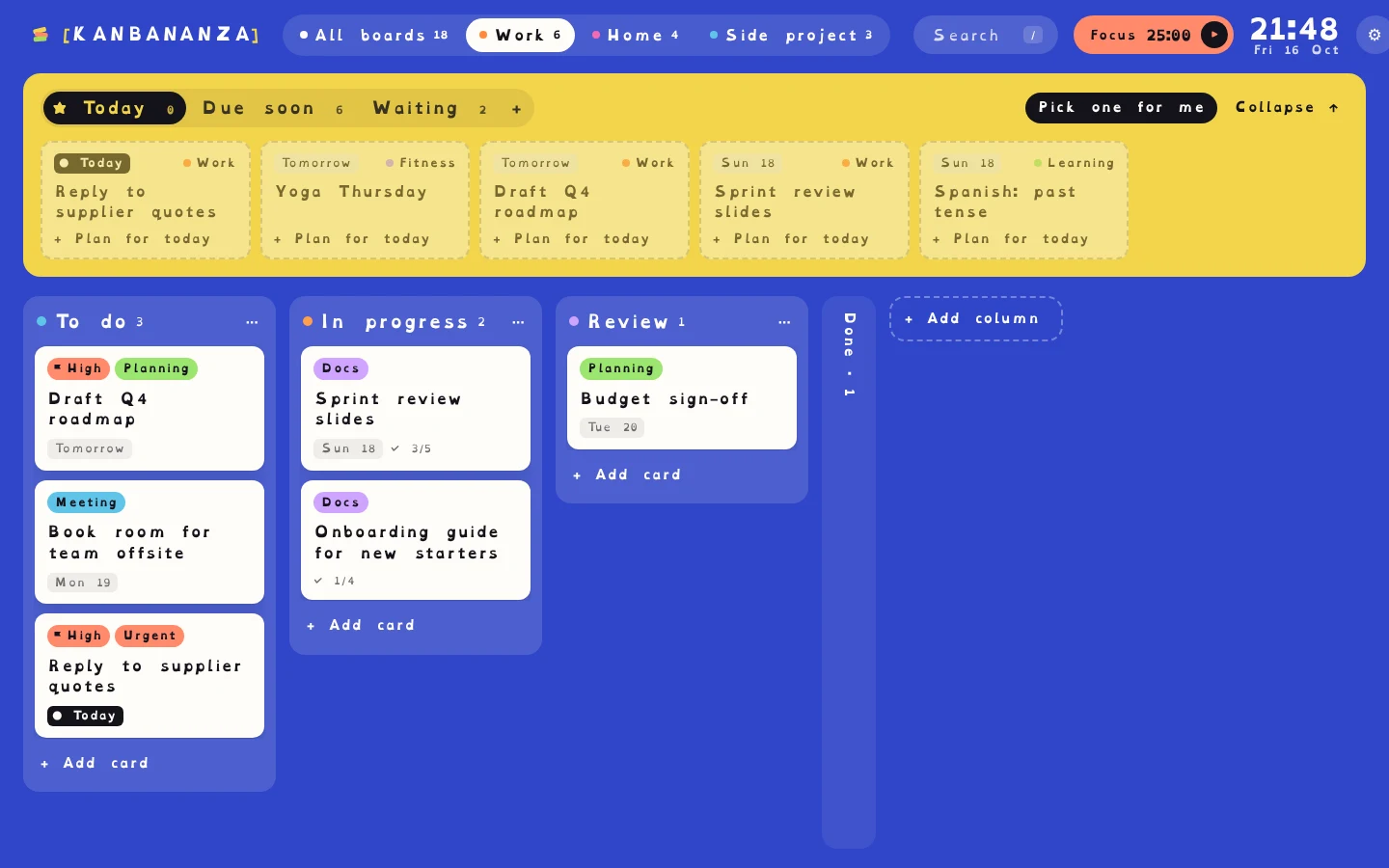
Same board, same cards. Switch it on and it works straight away.
The OpenDyslexic font, with wider spacing between letters, words and lines.
A today's plan of just a few cards, a focus timer on every card, and Up next instead of a wall of tasks. Press B to blur everything.
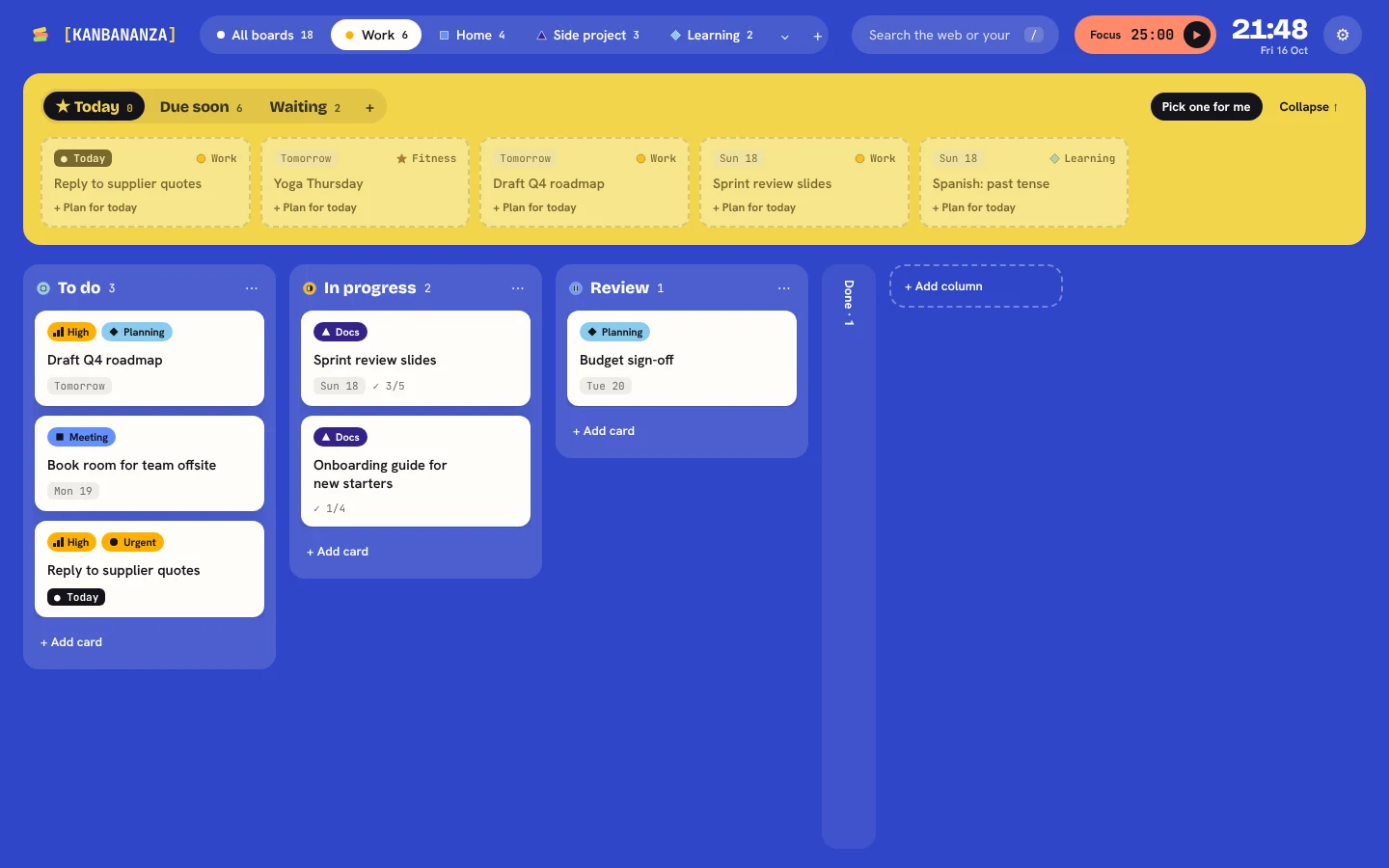
Safe palettes for red-green, blue-yellow and no colour, plus shapes and patterns so colour is never the only clue.
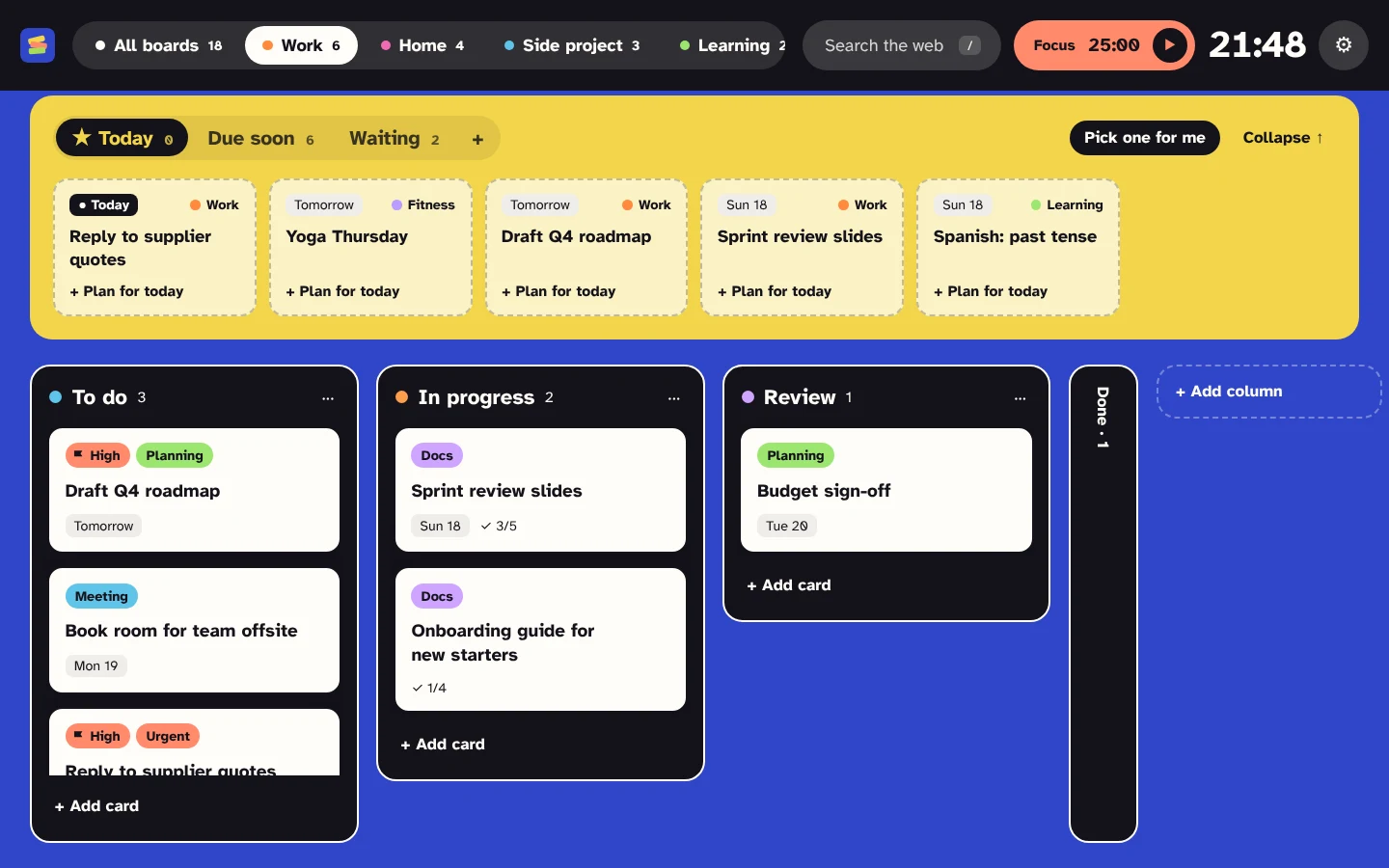
Text up to 150%, high contrast, and the Atkinson Hyperlegible font.
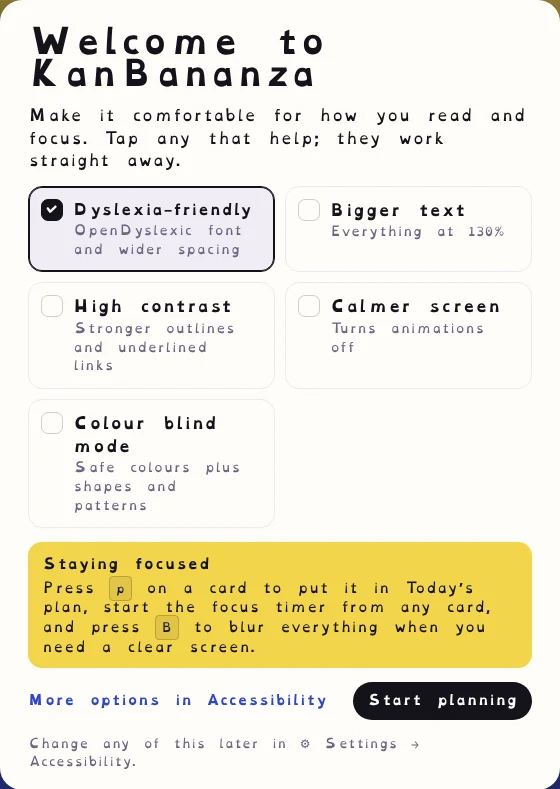
Follows your system's reduce motion setting, or switch animations off yourself.
Every action works from the keyboard. Move a card with Shift and the arrow keys, and changes are announced.
KanBananza has no account, no server and no tracking. Your boards live in your browser and nowhere else. We never see them.
Install it and start. No email address, no password, nothing to forget.
Every board, card and setting is saved in your browser's extension storage on this computer. Optional sync keeps an encrypted copy in your own Google Drive, never on our servers (we don't have any).
On a train or a plane? Your boards open just the same, with or without the internet.
Working in an open-plan office or sharing your screen? Press B and every card frosts over, or its letters scramble into nonsense. You choose the style. Press B again to bring them back.
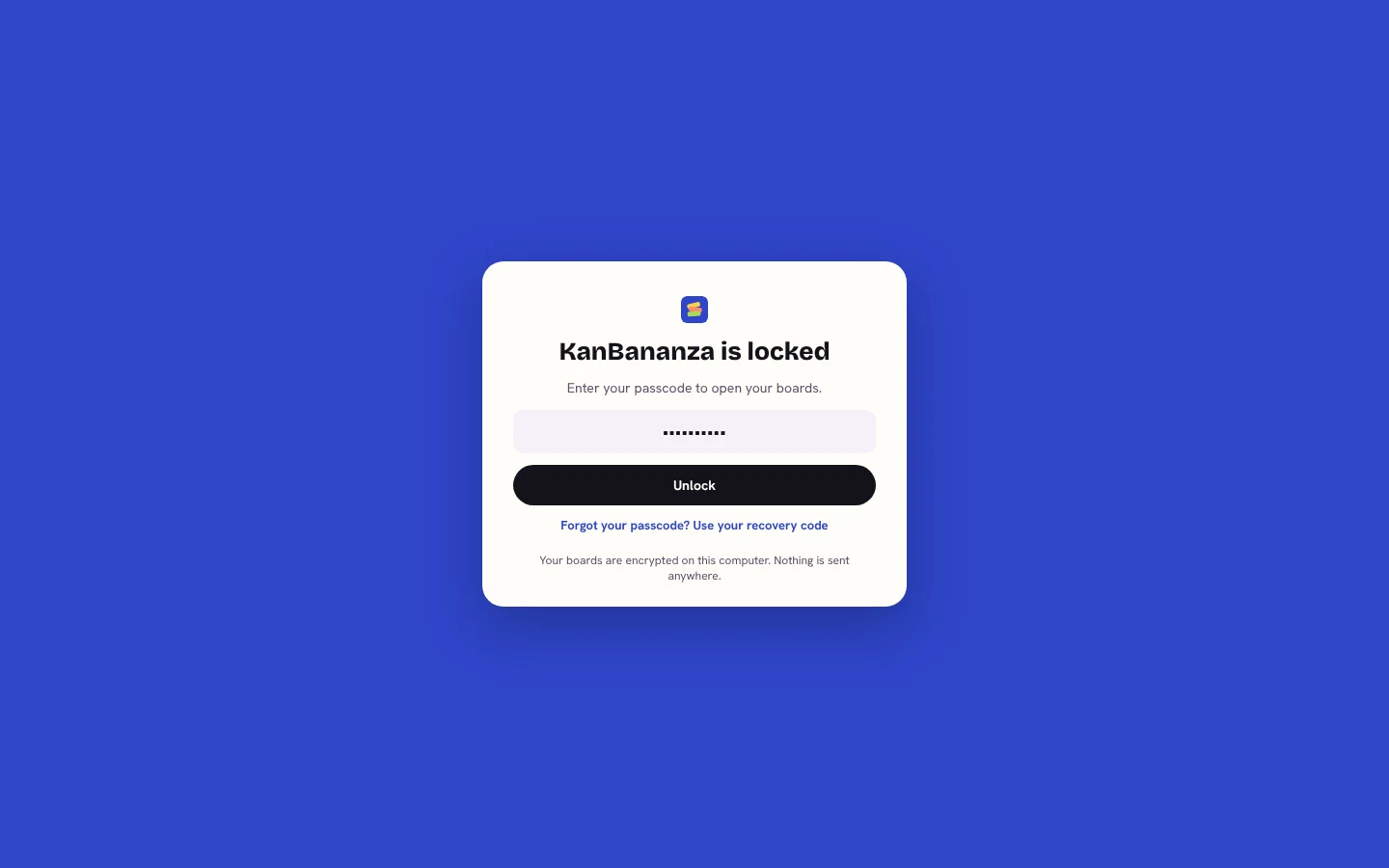
Turn on the passcode lock and your boards, backups and card images are encrypted on your computer. Your passcode is never stored or sent anywhere.
Features
Everything you need to plan the day, without leaving the tab you just opened.
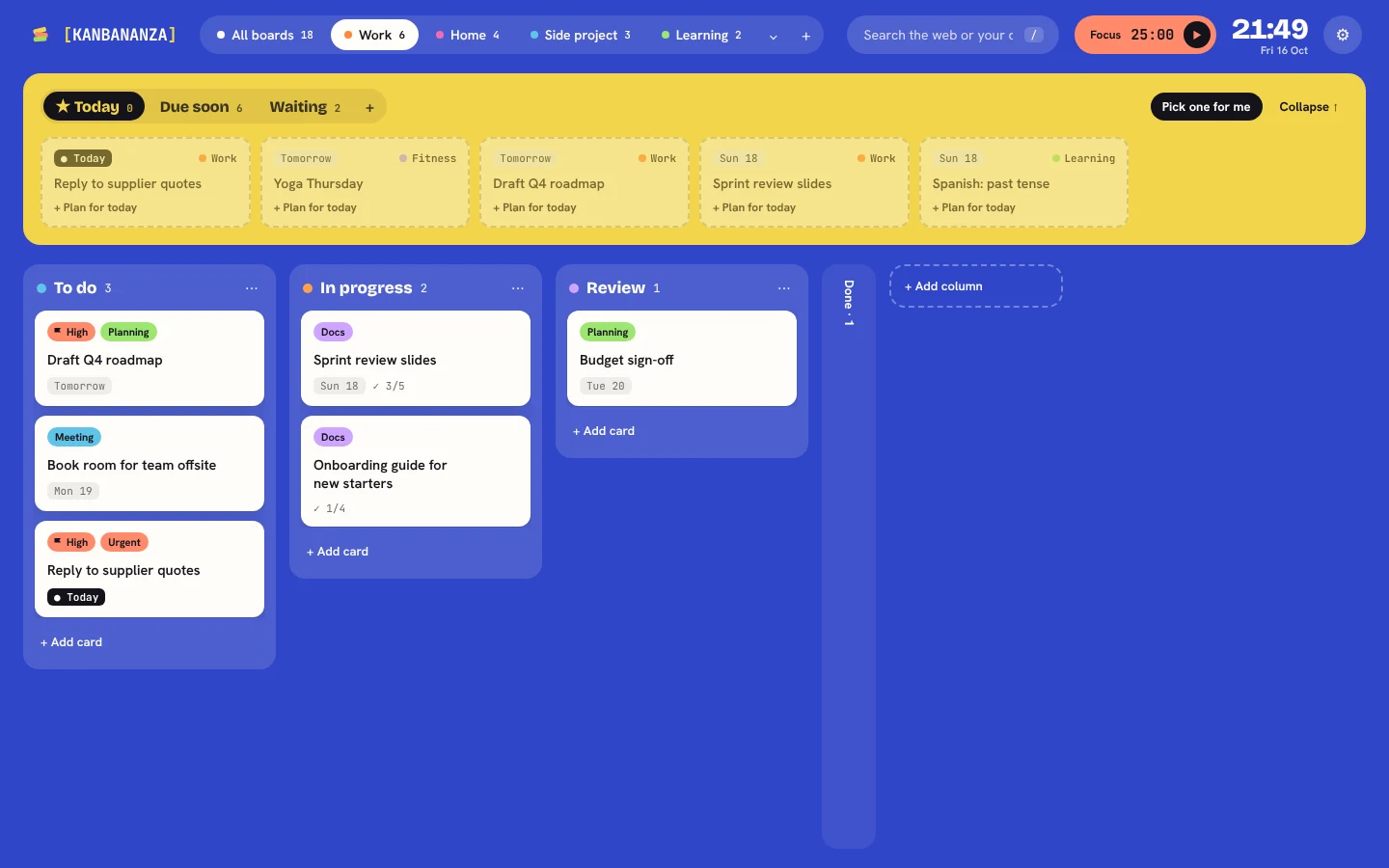
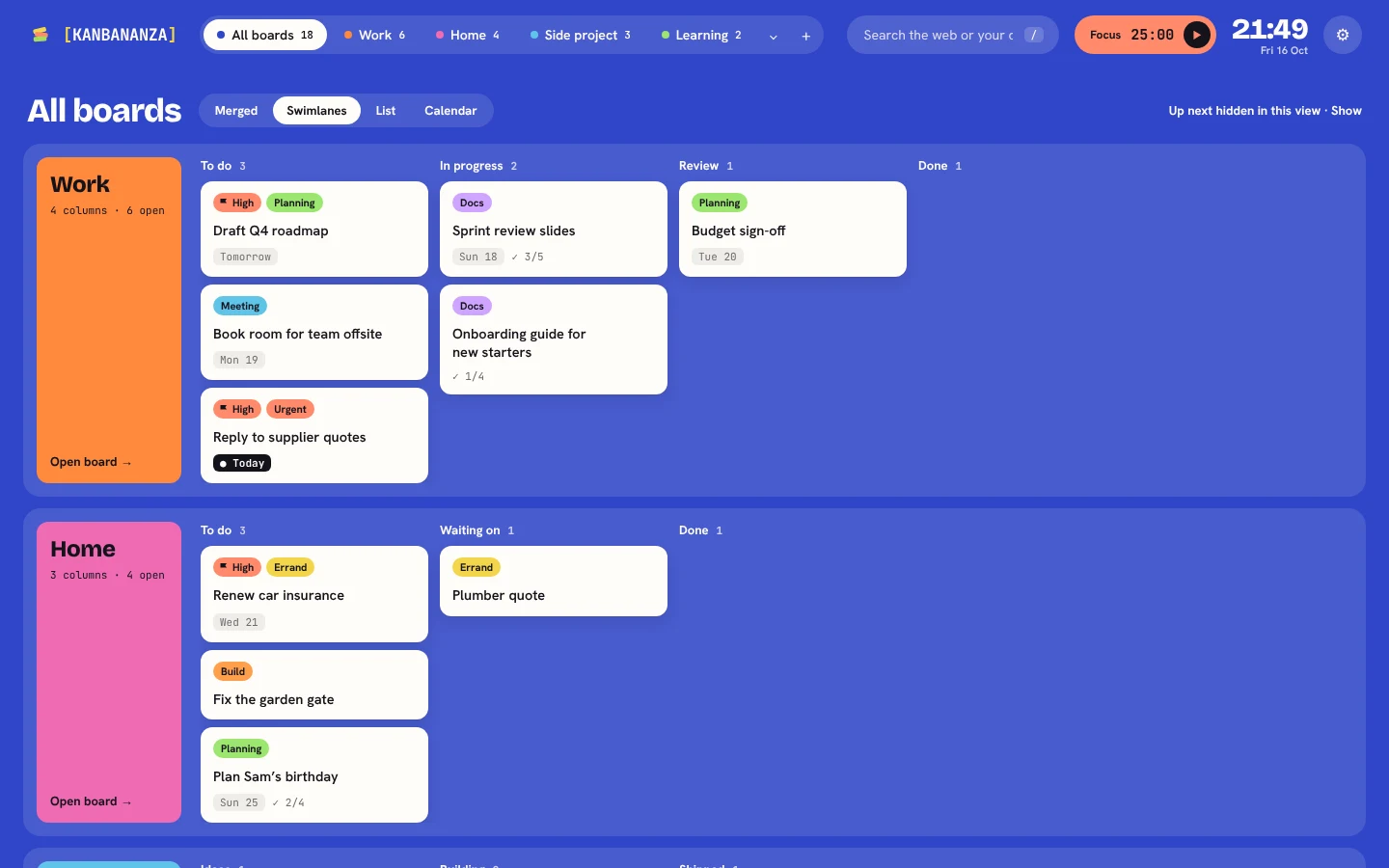
The yellow Up next panel sits above your board. It shows what's due soon, what you're waiting on someone for, and the cards you've picked for today.
Work, home and that side project, side by side. See all your boards merged together, as swimlanes, as a list or on a calendar.
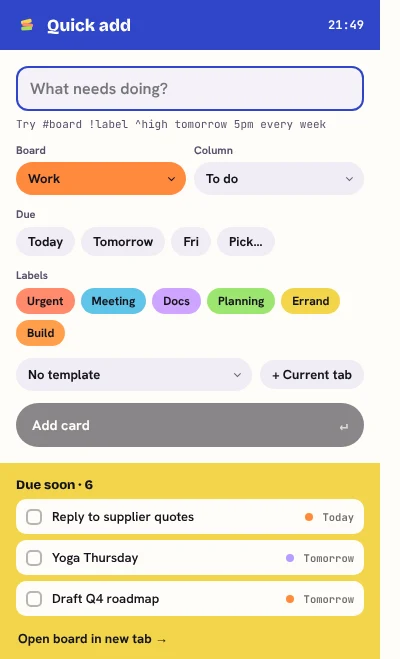
Type Call Sam tomorrow 3pm #home and KanBananza fills in the date, board and labels for you.
Add cards from the toolbar popup, or right-click any page and choose "Add to KanBananza".
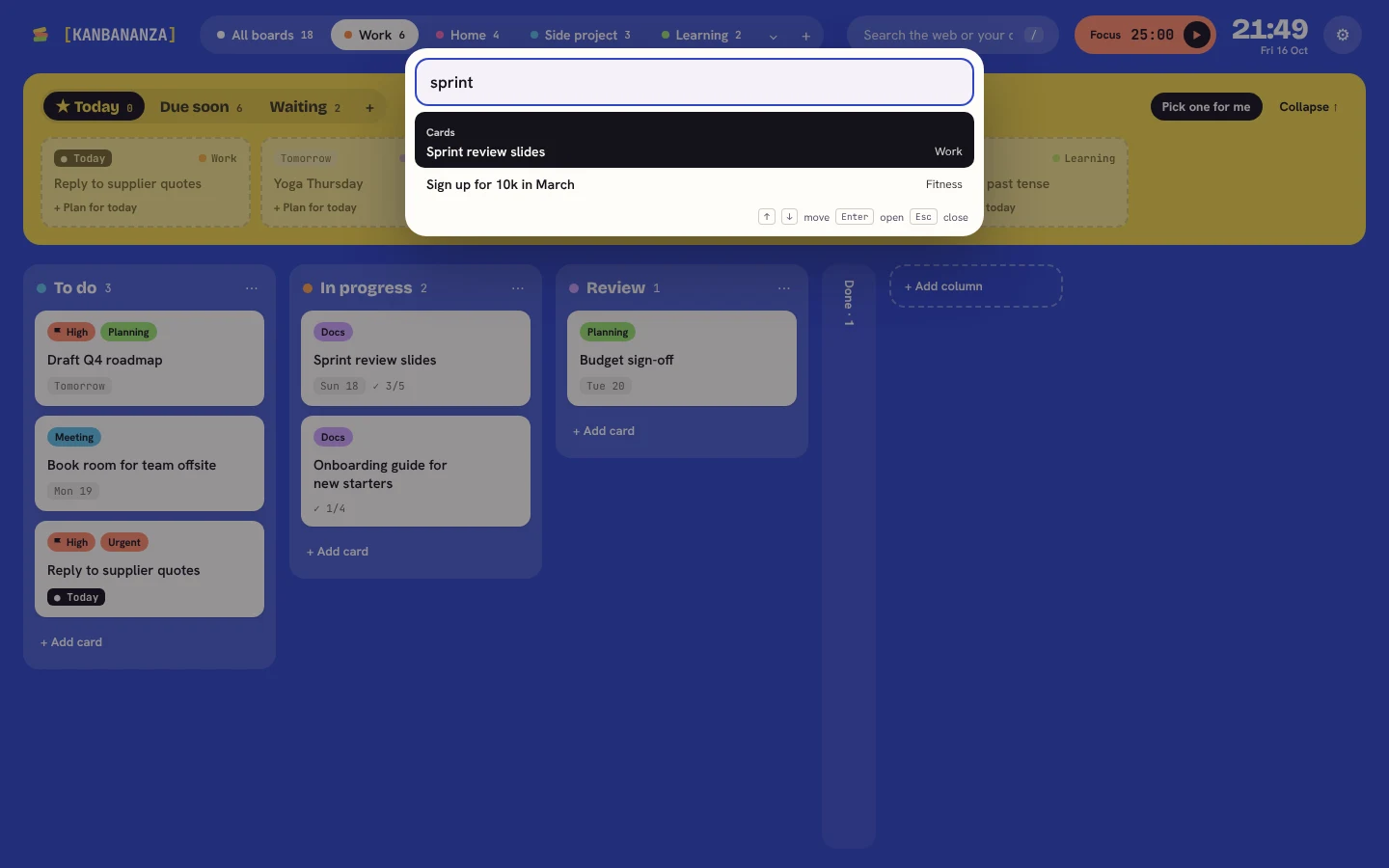
Press Ctrl K and start typing. The command palette jumps to any card, board or action in a couple of keystrokes.
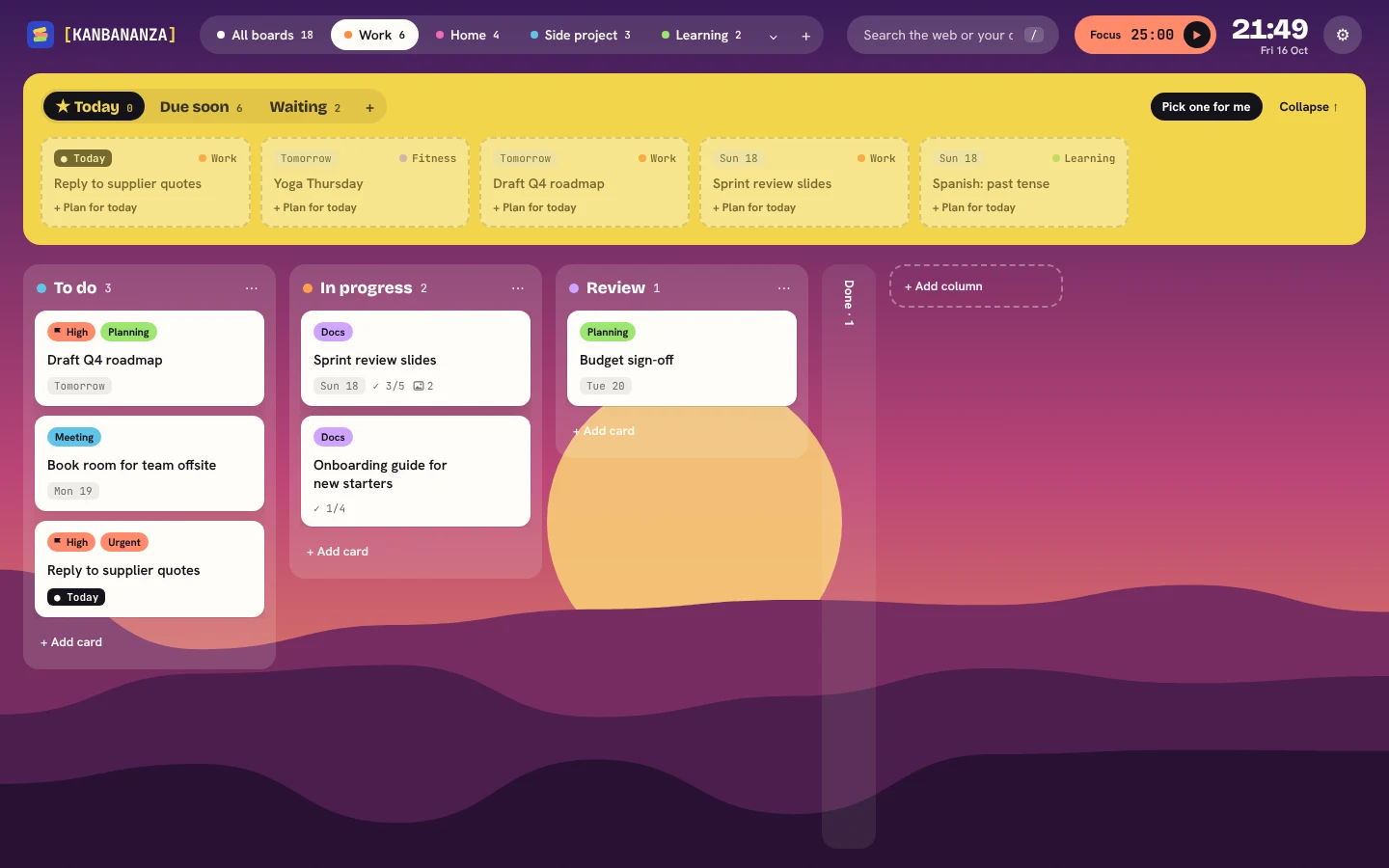
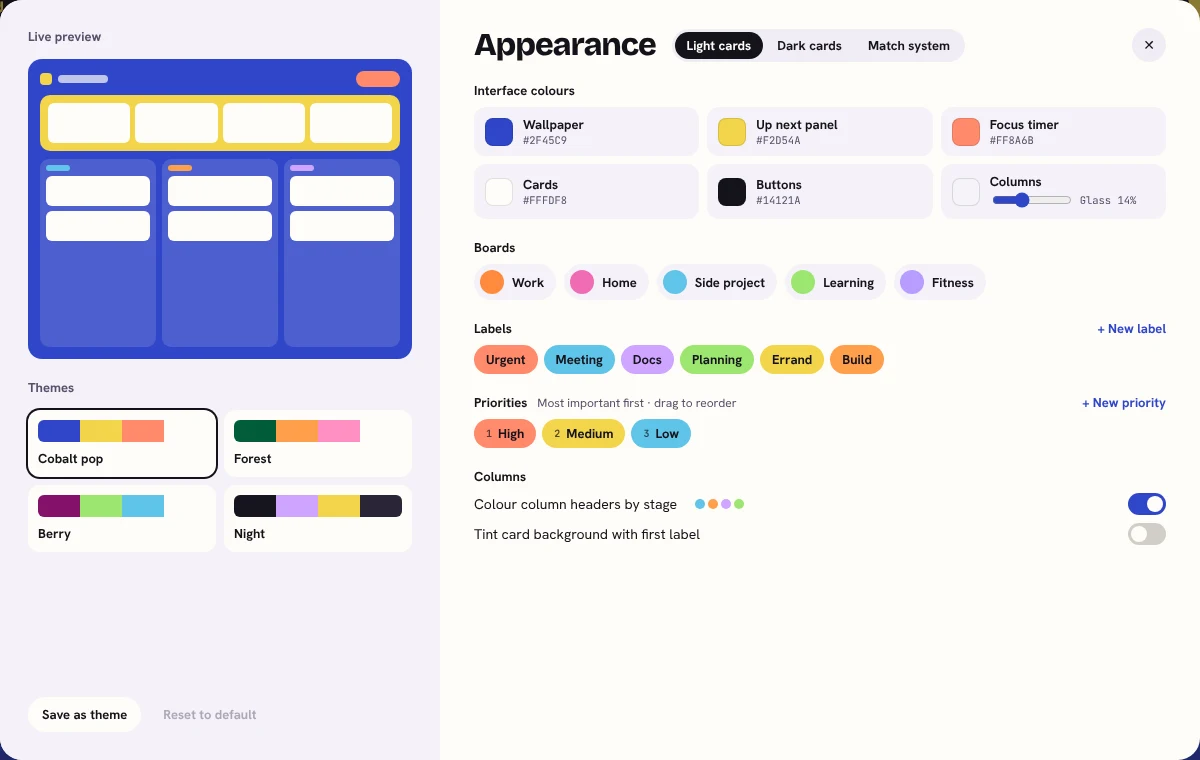
Pick a theme, change every colour, or set an artwork wallpaper behind your boards. Light cards, dark cards, or whatever your computer is using.
A built-in Pomodoro timer. Start it on a card and the time is logged to the card you're working on.
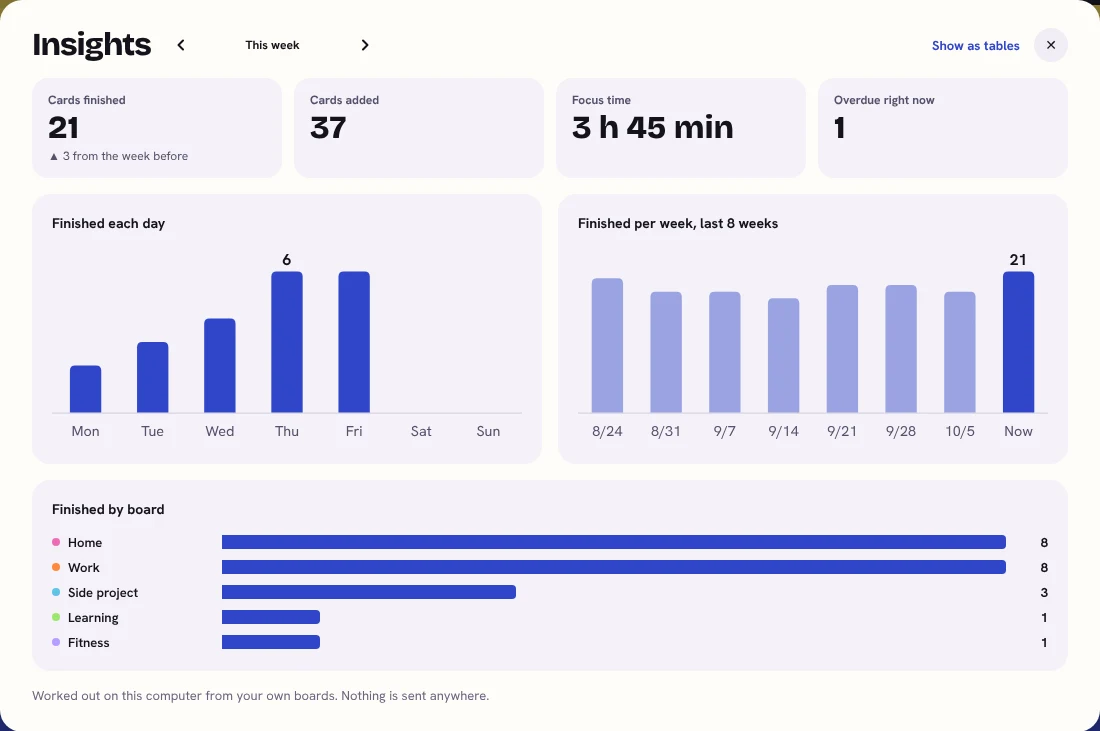
Cards finished, focus time and trends over the weeks. All worked out on your computer from your own boards.
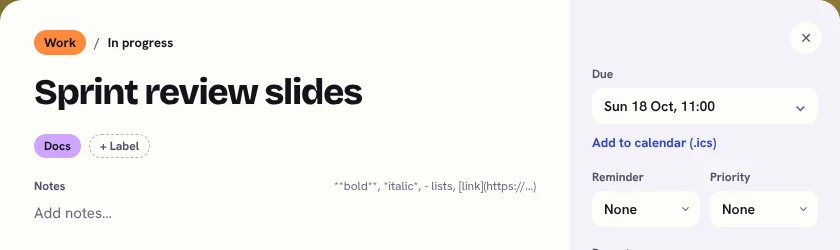
Paste a screenshot straight into a card, or drop in an image file. Notes, links and checklists sit right alongside.
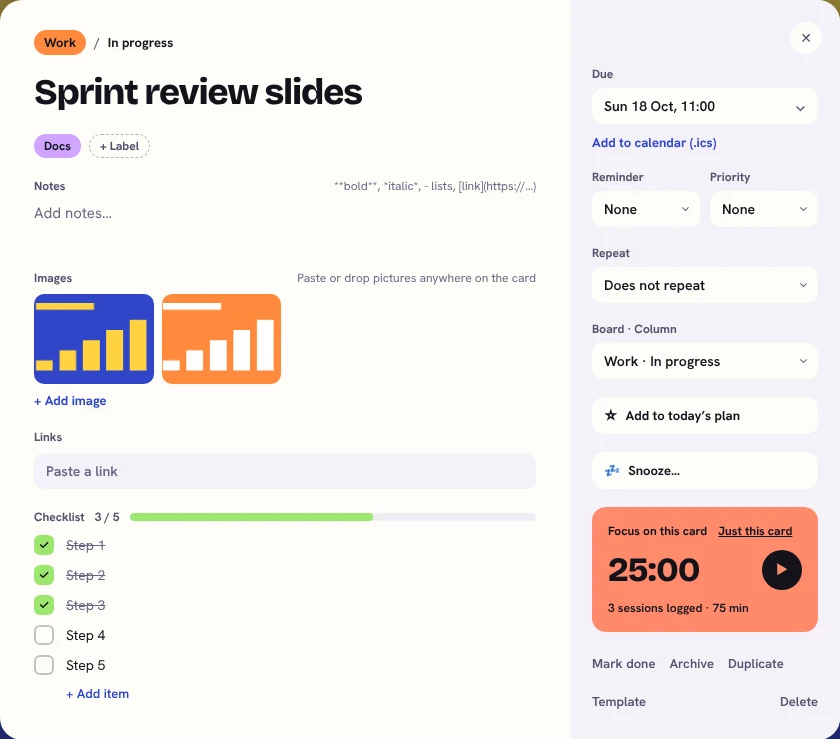
Automatic daily backups. Export to JSON or CSV, import from Trello, and send due dates to your calendar with .ics export.
For when you're stuck
A long list can freeze anyone. These help you pick one thing, get going, and put the rest away for later.
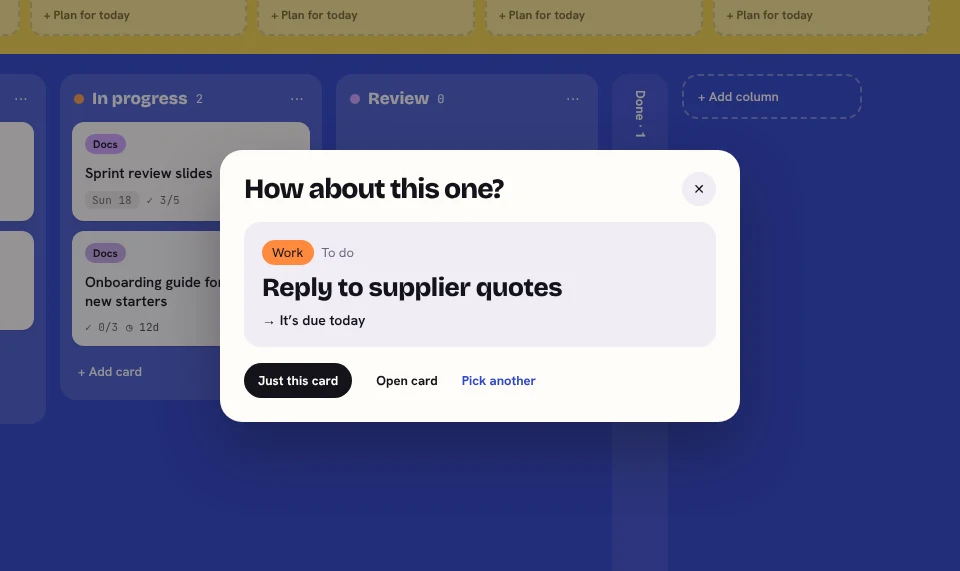
Can't decide what's next? KanBananza suggests a card and tells you why, like "It's due today". Not that one? Ask for another.
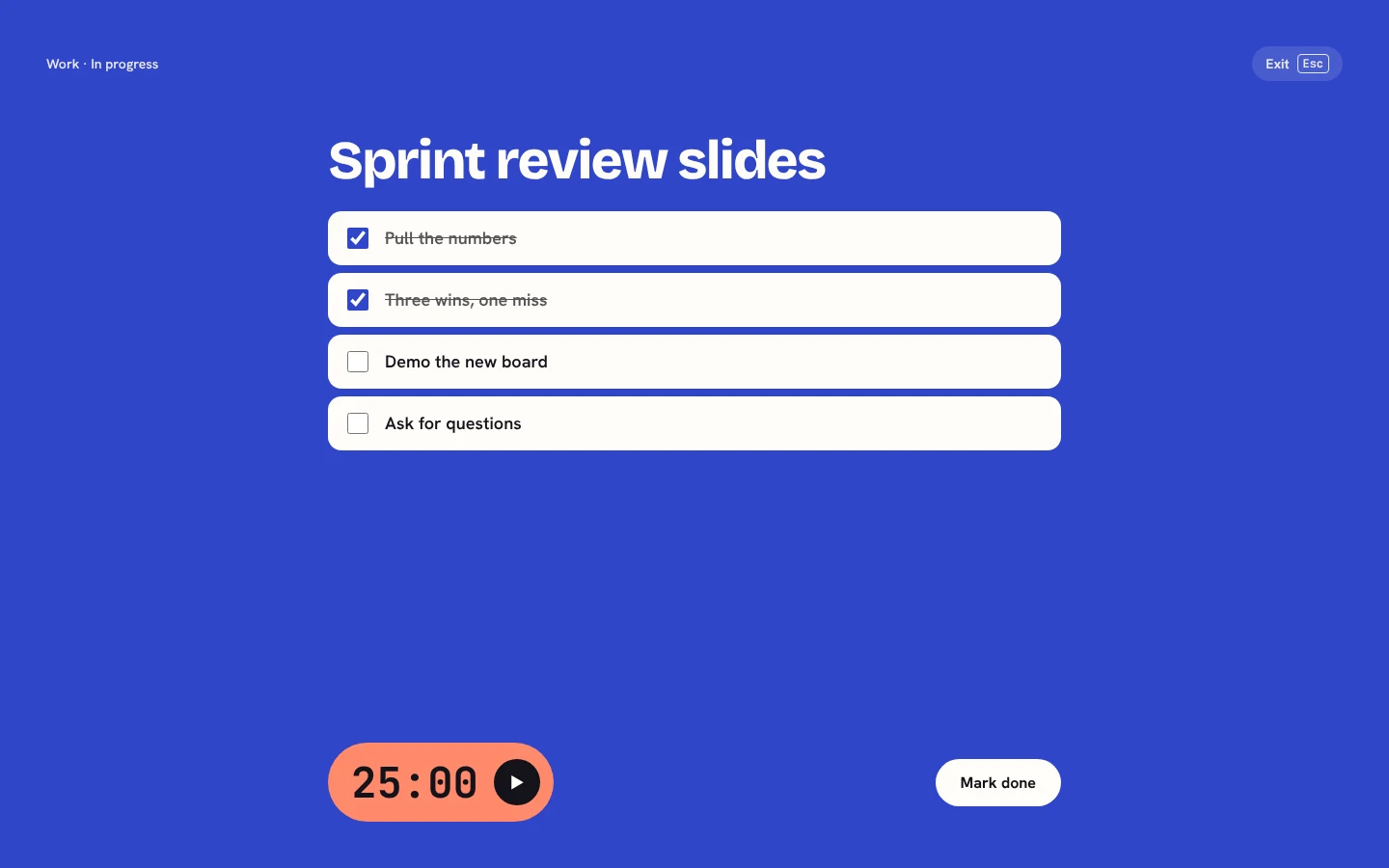
Press F and one card fills the screen: its steps, a big focus timer and nothing else. Tick off steps as you go.
Not today? Press S to hide a card until tomorrow, next week or any day you choose. It comes back by itself.
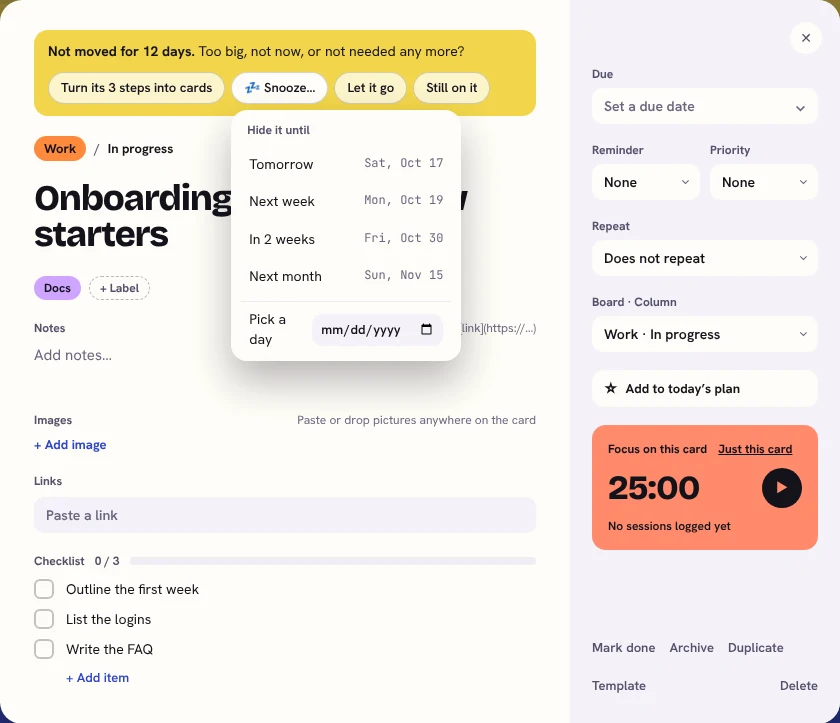
Cards that haven't moved in a while get a gentle nudge, with one-tap ways to break them into steps, snooze them or let them go.
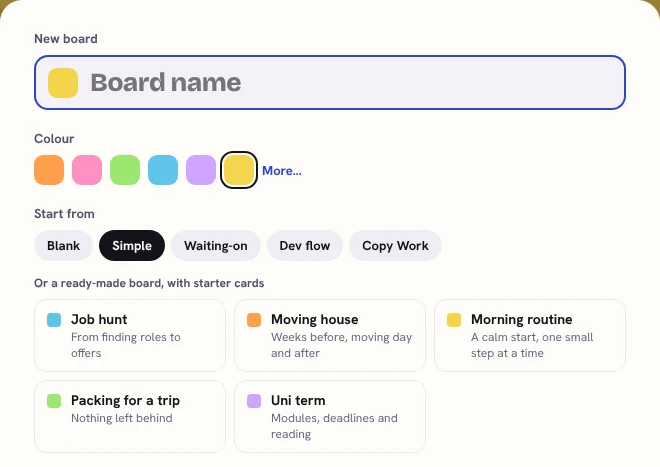
Moving house, job hunting, a new uni term? Start from a board that already has the steps in it, then make it your own.
The free version covers the everyday, including every accessibility option. Upgrade when you want more boards, more views and more ways to make it yours.
£0forever
Everything in Free, plus:
Paid securely through Lemon Squeezy. Your licence key arrives by email. Accessibility is always free.
In your browser's extension storage on this computer. If you turn on sync, an encrypted copy also goes to a hidden folder in your own Google Drive. We never see it either way.
Yes, with Full Bananza. Turn on sync and your boards stay up to date on all your computers through your own Google Drive, encrypted on your computer first with a passphrase only you know. It works in Chrome and Edge; on Firefox, use export and import for now.
Nothing is deleted. Full Bananza features switch off, and everything you made stays.
Yes. Activate your licence key on each one, and deactivate it when you want to move it.
Chrome, Edge and Firefox (version 140 or newer). Not Safari yet.
It's designed with both in mind: a dyslexia font and spacing, bigger text, a calm daily plan, a focus timer and a one-key blur for a clear screen. Everyone's different, so every option can be switched on or off.
Yes, and all of it is free: colour blind modes, text size, high contrast, reading fonts, calm motion, and keyboard and screen reader support. See the accessibility statement.
Email [email protected].
Has KanBananza helped you get things done? We'd love to hear your story. Got an idea for a feature? Send that too. We read every email.